I’ve been testing out numerous note taking apps as I want to make the jump from pencil and paper. Supernotes is the best of the bunch for my particular needs. There are only two features that I think are missing:
Offline - Which I know is in v3, which seems to be coming very soon from what I’ve read.
There isn’t a shortcut to create a task (apart from typing - [ ]). Given that there is a task filter in the nav, this seems very strange to me. Please add an uncomplicated keyboard shortcut (or a GUI button) to create a task.
Once those two things happen, I honestly can’t fault this product. It’s awesome. Please keep it simple and fast.
We will soon be adding a toolbar that will have buttons to quickly add things like task items. Hopefully that will be enough to scratch this itch, but I’ll mark it as “under consideration” for now and we can revisit if necessary after 3.0
So we’ve actually already added a shortcut (although not a single hotkey). Now if you type [] it will auto-expand into the full - [ ] todo syntax, which so far we think is probably ergonomic enough when compared to having to type out the full thing manually.
Would it be possible to add e.g. a simple cmd+t like Bear does (Reflect Notes switches between Bulletspoints and Tasks with cmd+enter, if I remember correctly)? At least I haven’t seen that these shortcuts are already used in the cheatsheet
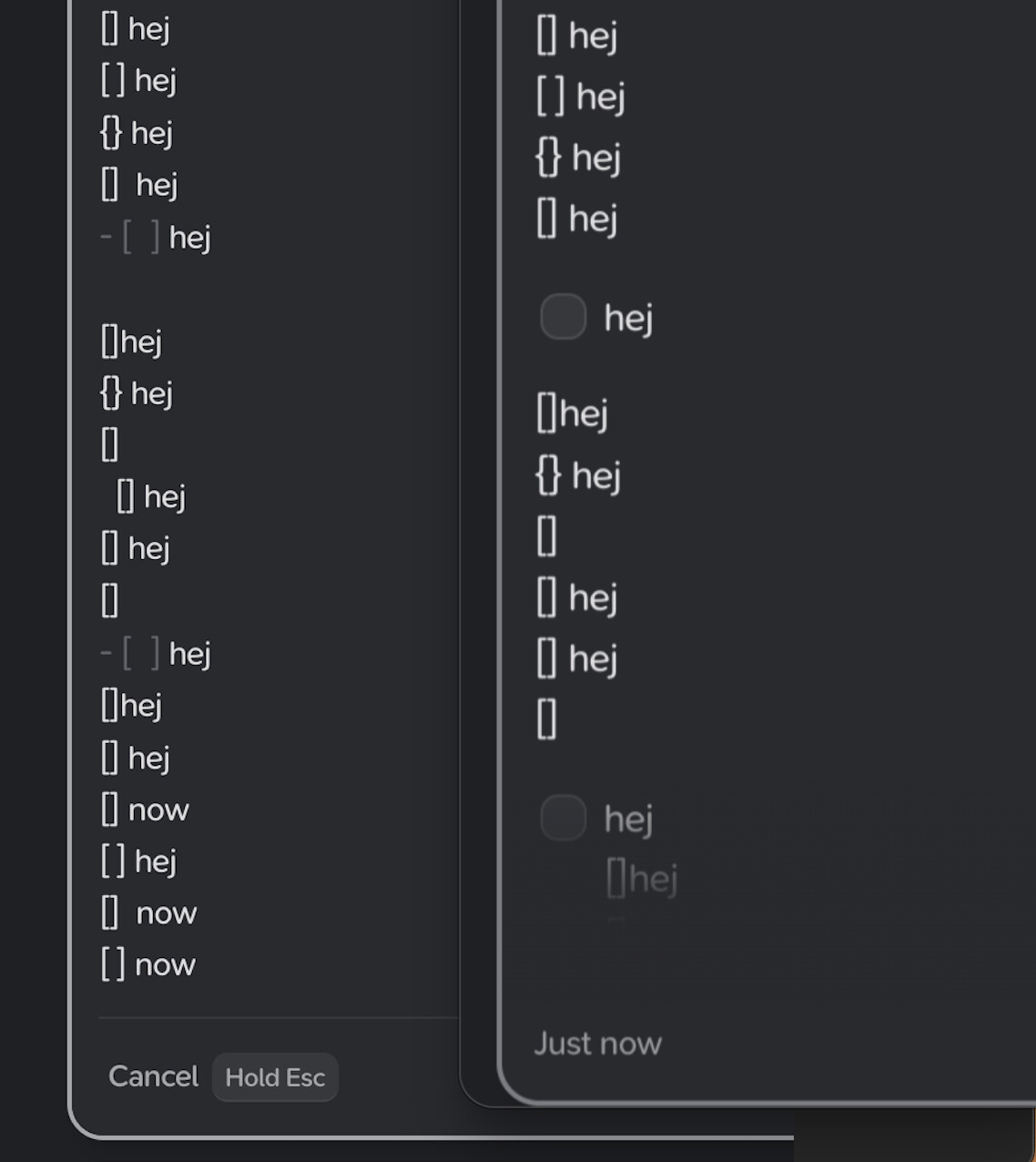
Hi Supernotes-Team, your app is really great and I would love to be able to use it - but this question is sadly still valid: Why did you add a Tasks menu item when there is no easy way to enter tasks? I just spent 20 minutes again downloading the newest version of Supernotes app to my Mac and then trying to insert a task – by typing first “[” plus “]” or “[” plus space plus “]” or trying tabs. But still the only syntax which yielded a task was the whole “-” plus space plus “[” plus space plus “]”. So if there is the shortcut you mentioned in 2024, what am I doing wrong? Thanks.
Thanks for your reply - see the screenshot: I tried “[”+“]" without space several times - but the only combination that works in the app seems to be “-” + " " + “[” + " " + “]”.
Hi @juaree, that’s very strange, could you possibly send us a screen recording via the in-app messenger? Are you using a QWERTY keyboard? Which OS / device are you using? Any further details would be very helpful