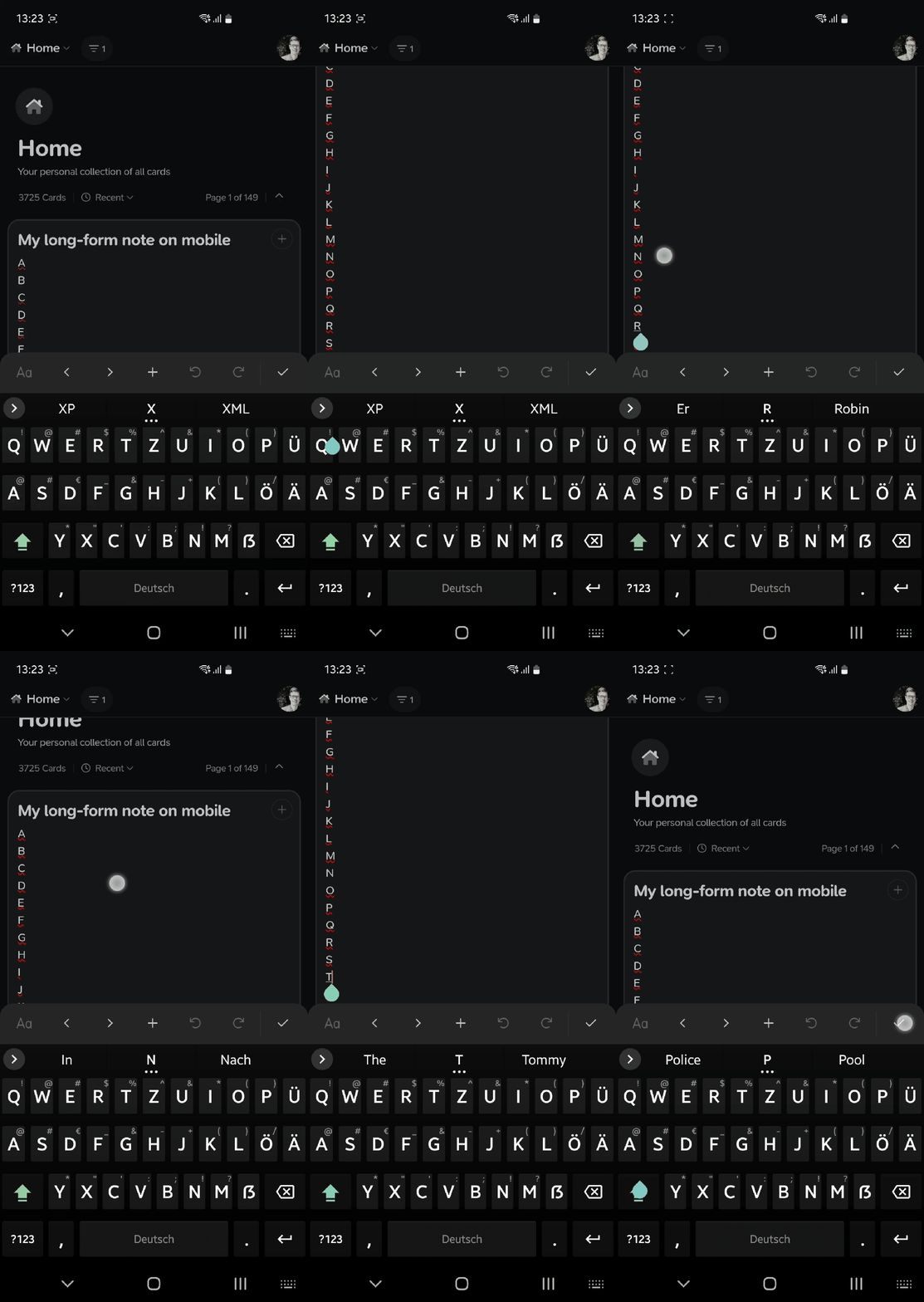
Description of the bug
Since 3.2 the text editor on mobile behaves differently on my side. Particularly, when I click somewhere in a long note (that exceeds the visible space on screen) sometimes the view jumps in an unexpected fashion.
I tested this a bit and the issues appears only when I click at the end of a line/paragraph, and only every second time I do so. This may or may not be the whole picture.
As a bonus bug which might be related, I experience the issue that moving the cursor (via editor menu bar) produces all kinds of unexpected behaviour (text spontaneously rearranged, characters produced or deleted, incoherence between location of the cursor and location of actual text input …). This only occurs when using HeliBoard, the keyboard that I use, and does not affect the other keyboard installed on my system, which is Samsung Keyboard, so it might be an upstream issue. However, I didn’t have these issues on 3.1.x even with HeliBoard, and HeliBoard still works just fine in every other app.
Device, App & Version
Android 12, v3.2
Steps to reproduce
Open edit mode, scroll down, click on the end of a paragraph, maybe multiple times.
Screenshots / Screen Recording