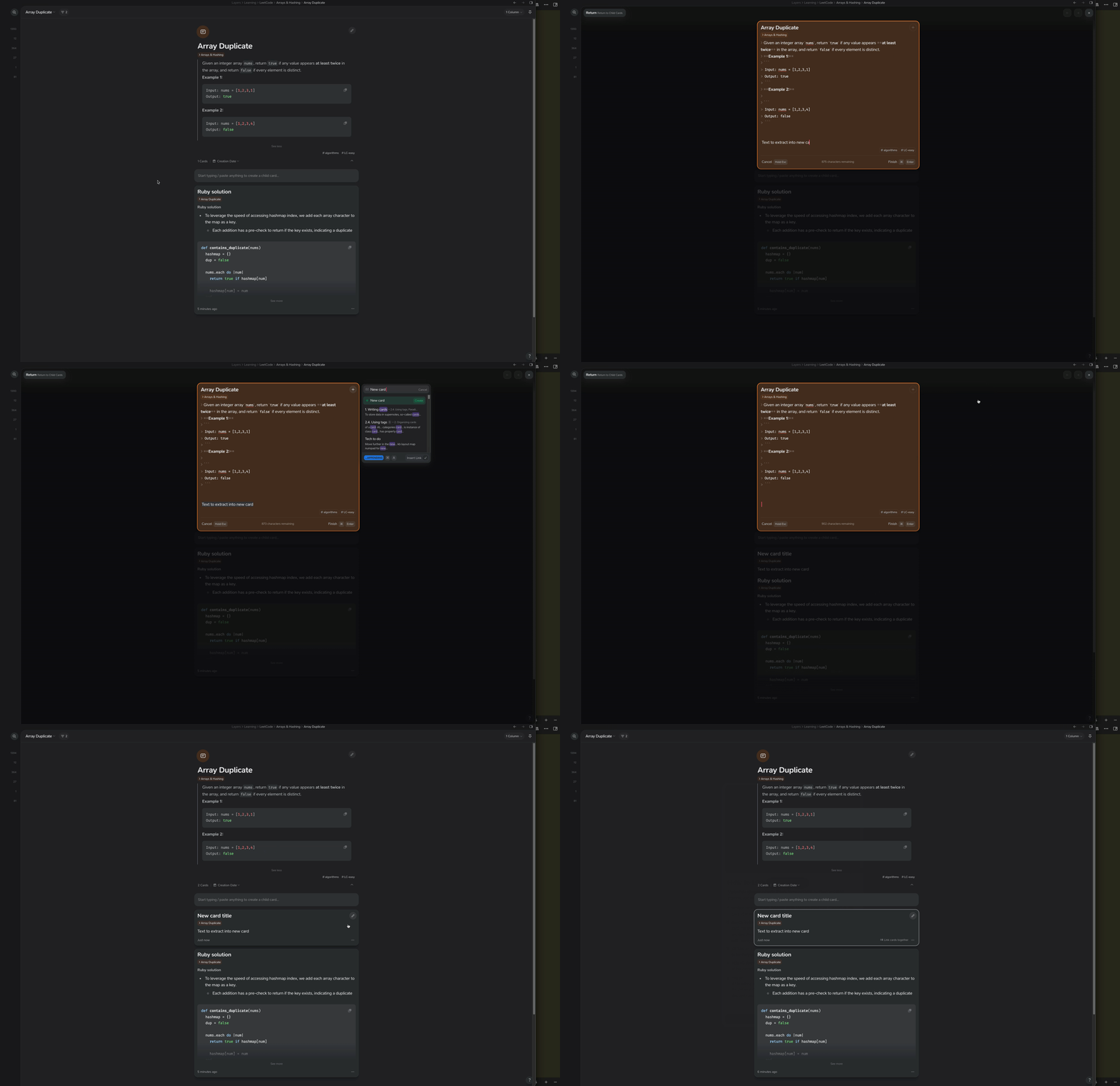
I’ve noticed that when using the Universal Coupler command “Move”, the text is successfully moved away from your note you had it selected in, and added to the new note you chose, but there is NO reference kept between the note it came from and where it went.
this is a bit scary when using it, because usually i’m moving it because it belongs to something related. I’d love the ability to keep a backlink to the original note it came from, ideally one that’s automatic and doesn’t require an inline link in the original note.
Thinking about this a little more, it would actually be nice if there was a second-step option presented to:
As Unrelated Note
no parent/child/sibling relationship is assumed, can be customized as the user sees fit
or
As Child Note
Create the new note to be a “Child” note instead, adding the original note as a parent note to the new note.
to me, option 2 should be the DEFAULT behaviour, as normally moving sections of content in a card is the result of breaking down a larger idea, which translates perfectly to child/parent cards
or
As Sibling Note
Create the new note to be a “Sibling” note instead, adding same parent to the new note as the original note you selected your text from.
For all of the above options, leaving a Link to the moved note should be added to the original note added to the original at the cursor position, which is easy to remove, and still provides good UX to the user so they know the action was successful. (with backlink to the original showing up in the new note)
Hey @tobias I’m super confused on how this is supposed to work?
I have selected “insert link”, but I don’t see the link left behind?
It’s not clear to me what appending/prepending is supposed to do? I assume based on “…” it’s talking about appending the link text at the card start/end, can’t really test that since there is no link created
Also, how do i select between the “unrelated”, “child” or “sibling” when targeting the relation of the card, which was the crux of this feature request?
Yep, the lack of link being inserted for newly created cards was a bug that has been fixed in the upcoming 3.2.1 version which will be released in the next few days.
It looks like this works in 3.2.1 It’s still not clear to me though, how to move the card as a sibling, it seems to assume that I want the moved card to be a child
 We hope you like it!